
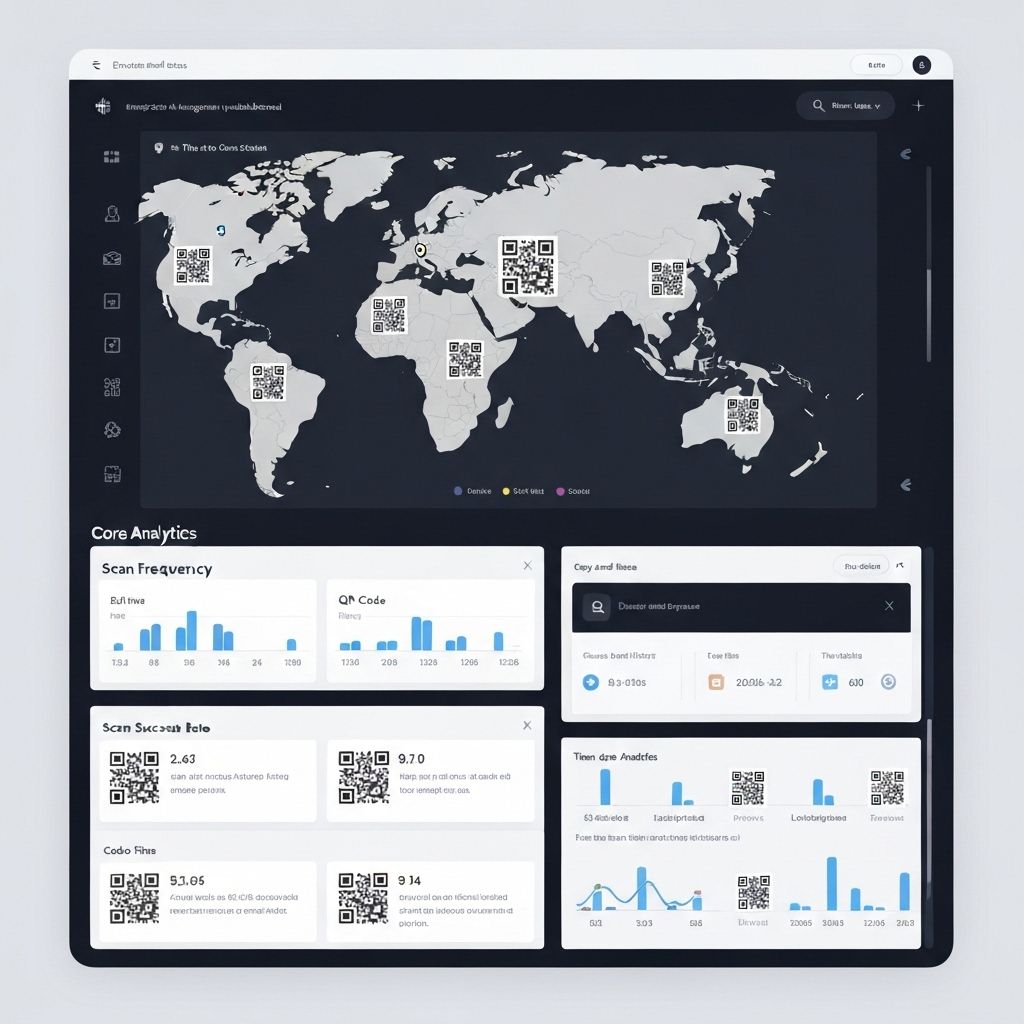
Guide on getting 1 Million QR Codes with Dynamic links from TapX
Scaling QR code operations to 1 million codes requires enterprise-grade infrastructure, strategic planning, and robust management systems. Whether you're launching a nationwide campaign, managing a large product catalog, or implementing location-based marketing across thousands of touchpoints, this comprehensive guide will walk you through everything you need to know about generating, managing, and optimizing 1 million dynamic QR codes with TapX.
Enterprise Planning Required
Generating 1 million QR codes is not just about clicking a button. It requires careful planning of your infrastructure, data management strategy, naming conventions, tracking systems, and long-term maintenance approach. Invest time in planning before generation to avoid costly mistakes.
Understanding Enterprise QR Code Requirements
Before diving into the technical process, it's crucial to understand what makes enterprise QR code deployments different from small-scale implementations. At the million-code scale, every decision about structure, naming, and management becomes critical.
Why Dynamic QR Codes Are Essential at Scale
Static QR codes encode the destination URL directly into the code pattern, making them impossible to update once printed. For 1 million codes, this would be catastrophic if you need to change destinations, fix errors, or update campaigns. Dynamic QR codes solve this by encoding a short redirect URL that points to your actual destination, which you can update anytime without reprinting.
"We printed 500,000 QR codes on product packaging before realizing our landing page URL was wrong. With static codes, we would have lost everything. Dynamic codes from TapX saved us millions by allowing instant URL updates across all codes."
— Sarah Chen, VP of Marketing at Global Consumer Brands
Key Considerations for Million-Code Deployments
- •Naming Convention: Establish a systematic naming structure that scales (e.g., CAMPAIGN-LOCATION-PRODUCT-ID-001 through 1000000)
- •Data Organization: Plan folder hierarchies, tags, and metadata fields before generation
- •URL Structure: Design destination URL patterns that support dynamic parameters and tracking
- •Team Access: Define roles, permissions, and workflows for managing codes across teams
- •Analytics Strategy: Determine what metrics matter and how you'll track performance at scale
- •Backup and Recovery: Plan for data backup, disaster recovery, and code regeneration if needed
Step-by-Step: Generating 1 Million QR Codes with TapX
TapX provides multiple methods for bulk QR code generation, each optimized for different use cases and technical capabilities. Here's the complete process from planning to deployment.
Method 1: Bulk Generation via Dashboard (Recommended for Non-Technical Users)
The TapX dashboard provides a user-friendly interface for bulk generation without coding. This method is ideal for teams without dedicated developers.
- Prepare Your Data File: Create a CSV file with columns for QR code name, destination URL, and any custom metadata. For 1 million codes, ensure your file is properly formatted and validated.
- Upload to TapX Dashboard: Navigate to Bulk Operations → Generate QR Codes → Upload CSV. TapX supports files up to 10 million rows.
- Configure Design Settings: Choose QR code size, error correction level, colors, and logo placement. These settings apply to all codes in the batch.
- Select Output Formats: Choose PNG, SVG, PDF, or multiple formats. For print materials, select high-resolution PNG (300 DPI) or vector SVG.
- Set Organization Options: Define folder structure, tags, and metadata fields for easy management after generation.
- Start Generation: Click Generate and monitor progress. For 1 million codes, expect 4-8 hours depending on design complexity.
- Download Results: Codes are packaged in organized ZIP files (typically 100,000 codes per ZIP) with accompanying CSV mapping file.
Method 2: API-Based Generation (Recommended for Developers)
For maximum control and integration with existing systems, use the TapX API. This method allows parallel processing and custom automation.
// Example: Parallel QR Code Generation with TapX API
const axios = require('axios');
const fs = require('fs');

const TAPX_API_KEY = 'your_api_key_here';
const BATCH_SIZE = 1000; // Generate 1000 codes per API call
const TOTAL_CODES = 1000000;
const PARALLEL_REQUESTS = 10; // Run 10 requests simultaneously

async function generateBatch(startId, endId) {
  const codes = [];
  for (let i = startId; i <= endId; i++) {
    codes.push({
      name: `CAMPAIGN-2025-${String(i).padStart(7, '0')}`,
      destination: `https://yoursite.com/product/${i}`,
      metadata: {
        productId: i,
        campaign: 'launch-2025',
        region: Math.floor(i / 100000) // Organize by region
      }
    });
  }

  const response = await axios.post(
    'https://api.tapx.com/v1/qr-codes/bulk',
    { codes, format: 'png', size: 1000, errorCorrection: 'M' },
    { headers: { 'Authorization': `Bearer ${TAPX_API_KEY}` } }
  );

  return response.data;
}

async function generateAllCodes() {
  const batches = Math.ceil(TOTAL_CODES / BATCH_SIZE);
  console.log(`Generating ${TOTAL_CODES} codes in ${batches} batches...`);

  for (let i = 0; i < batches; i += PARALLEL_REQUESTS) {
    const promises = [];
    for (let j = 0; j < PARALLEL_REQUESTS && (i + j) < batches; j++) {
      const startId = (i + j) * BATCH_SIZE + 1;
      const endId = Math.min(startId + BATCH_SIZE - 1, TOTAL_CODES);
      promises.push(generateBatch(startId, endId));
    }

    const results = await Promise.all(promises);
    console.log(`Completed batches ${i + 1} to ${i + promises.length}`);

    // Save results to disk
    results.forEach((result, index) => {
      fs.writeFileSync(
        `./qr-codes/batch-${i + index + 1}.json`,
        JSON.stringify(result, null, 2)
      );
    });
  }

  console.log('All codes generated successfully!');
}

generateAllCodes().catch(console.error);
Method 3: Hybrid Approach (Best for Large Teams)
Combine dashboard and API methods: use the dashboard for initial setup and design configuration, then use the API for automated generation and integration with your systems. This provides the best of both worlds—ease of use and technical flexibility.
Managing 1 Million QR Codes Effectively
Generation is just the beginning. Effective management is what separates successful enterprise deployments from chaotic ones.
Organization Strategies
TapX provides multiple organizational tools to keep your million codes manageable:
- •Folder Hierarchies: Create nested folders by campaign, region, product line, or any custom taxonomy (e.g., 2025 → Q1 → Retail → Northeast → Store-001)
- •Tagging System: Apply multiple tags to codes for cross-cutting organization (e.g., #seasonal, #high-priority, #print-ready)
- •Custom Metadata: Add unlimited custom fields to store product IDs, SKUs, locations, or any business data
- •Advanced Search: Find codes instantly using full-text search, filters, and saved search queries
- •Bulk Operations: Update URLs, move folders, apply tags, or modify settings for thousands of codes at once
URL Management at Scale
One of the biggest advantages of dynamic QR codes is the ability to update destination URLs without reprinting. Here's how to manage URLs effectively:
- •Rule-Based Updates: Create rules to automatically update URLs based on conditions (e.g., "All codes tagged #summer redirect to summer-sale.com")
- •CSV Bulk Updates: Upload a CSV with code IDs and new URLs to update thousands of codes instantly
- •API Automation: Integrate with your CMS or product database to automatically sync URLs when content changes
- •Scheduled Updates: Set future dates for URL changes (e.g., switch all codes to holiday campaign on December 1st)
- •A/B Testing: Split traffic between multiple URLs to test which landing page performs better
"We manage 2 million QR codes across 50 countries for our global product line. TapX's folder system and bulk operations make it feel like managing 100 codes instead of millions. The ability to update URLs by region or product category has saved us countless hours."
— Michael Rodriguez, Global Operations Director at International Manufacturing Corp
Analytics and Performance Tracking
With 1 million QR codes in the field, analytics become both more important and more challenging. TapX provides enterprise-grade analytics designed for scale.
Key Metrics to Track
- •Total Scans: Overall engagement across all codes
- •Unique Users: Individual people scanning (deduplicated by device)
- •Scan Rate: Percentage of codes that have been scanned at least once
- •Geographic Distribution: Where scans are happening (city, region, country)
- •Device Breakdown: iOS vs Android, mobile vs tablet
- •Time Patterns: Peak scanning hours, days, and seasons
- •Conversion Tracking: Actions taken after scanning (purchases, signups, downloads)
- •Top Performers: Which codes, campaigns, or locations drive the most engagement
Advanced Analytics Features
TapX enterprise analytics go beyond basic scan counting:
- •Custom Dashboards: Build dashboards showing exactly the metrics that matter to your business
- •Automated Reports: Schedule daily, weekly, or monthly reports delivered to your team
- •API Data Export: Pull analytics data into your BI tools (Tableau, Power BI, Looker)
- •Real-Time Alerts: Get notified when codes hit scan thresholds or show unusual patterns
- •Cohort Analysis: Compare performance across different code groups, time periods, or campaigns
- •Attribution Tracking: Connect QR scans to downstream conversions and revenue
Cost Analysis: What Does 1 Million QR Codes Cost?
Understanding the total cost of ownership helps you budget appropriately and justify the investment.
| Cost Component | TapX Enterprise | Notes |
|---|---|---|
| QR Code Generation | Rs. 280,000 - Rs. 700,000 | One-time fee, includes all formats |
| Dynamic Link Management | Included | Unlimited URL updates |
| Scan Tracking (Unlimited) | Included | No per-scan fees |
| Analytics & Reporting | Included | Real-time dashboards, exports |
| API Access | Included | Full API, webhooks, integrations |
| Support & Training | Included | Dedicated account manager |
| Custom Domain | Rs. 140,000/year | Optional, use your brand domain |
| White Label Solution | Rs. 560,000/year | Optional, remove TapX branding |
| Total First Year | Rs. 280,000 - Rs. 1,400,000 | Depending on options selected |
Compare this to static QR codes: if you need to update even 10% of your codes due to URL changes, you'd need to reprint 100,000 codes. At Rs. 28 per code for printing and distribution, that's Rs. 2,800,000—more than the entire TapX enterprise solution. Dynamic codes pay for themselves with the first major update.
Best Practices for Enterprise QR Code Deployments
Learn from companies that have successfully deployed millions of QR codes:
1. Start with a Pilot Program
Before generating all 1 million codes, run a pilot with 10,000-50,000 codes to test your processes, naming conventions, and management workflows. This helps you identify issues before they scale.
2. Implement Robust Naming Conventions
Use systematic, hierarchical naming that encodes key information: YEAR-CAMPAIGN-REGION-CATEGORY-ID. For example: 2025-LAUNCH-NORTHEAST-RETAIL-000001. This makes codes self-documenting and easier to manage.
3. Plan for URL Changes
Design your destination URLs with flexibility in mind. Use URL parameters to pass code IDs, locations, or other data. This allows you to change the base URL while maintaining tracking: https://yoursite.com/campaign?code=ID&location=REGION
4. Set Up Monitoring and Alerts
Configure alerts for unusual patterns: sudden scan spikes (viral content or security issues), scan drops (broken URLs or removed materials), or geographic anomalies (codes appearing in unexpected locations).
5. Document Everything
Create comprehensive documentation of your QR code system: naming conventions, folder structures, URL patterns, team responsibilities, and emergency procedures. This ensures continuity when team members change.
6. Implement Access Controls
Use role-based permissions to control who can generate, edit, or delete codes. For 1 million codes, you need multiple team members involved, but not everyone should have full access to everything.
7. Regular Audits and Cleanup
Schedule quarterly audits to identify unused codes, outdated campaigns, or broken URLs. Archive or delete codes that are no longer needed to keep your system clean and performant.
"The key to managing millions of QR codes is treating them like a database, not a collection of images. Invest in structure, naming, and organization from day one. The time you spend planning will save you hundreds of hours in management."
— David Park, CTO at Enterprise Solutions Inc.
Integration with Existing Systems
Enterprise QR code deployments rarely exist in isolation. TapX provides comprehensive integration options to connect with your existing technology stack.
CRM Integration
Connect TapX with Salesforce, HubSpot, or your custom CRM to automatically create leads when QR codes are scanned. Pass scan data, location, and device information directly into your CRM for follow-up.
Marketing Automation
Integrate with marketing platforms like Marketo, Pardot, or ActiveCampaign to trigger automated campaigns based on QR code scans. Send personalized follow-up emails, add contacts to nurture sequences, or score leads based on engagement.
Analytics Platforms
Send QR code scan data to Google Analytics, Adobe Analytics, or your data warehouse for unified reporting. Track the complete customer journey from QR scan to conversion.
E-commerce Platforms
Connect with Shopify, WooCommerce, or Magento to track which QR codes drive sales. Attribute revenue to specific codes, campaigns, or locations for accurate ROI calculation.
Custom Integrations
Use TapX webhooks to send real-time scan events to any system. Build custom integrations with your proprietary software, databases, or business intelligence tools.
Frequently Asked Questions
How much does it cost to generate 1 million QR codes with TapX?
TapX offers enterprise pricing starting at Rs. 0.28 per QR code for bulk orders over 100,000 codes. For 1 million codes, pricing typically ranges from Rs. 280,000-700,000 depending on features, support level, and contract terms. This includes dynamic link management, unlimited scans, analytics, and API access.
How long does it take to generate 1 million QR codes?
With TapX API, you can generate 1 million QR codes in 2-4 hours using parallel processing. The actual generation time depends on your server capacity, network speed, and whether you are generating codes with custom designs. Bulk generation through the dashboard typically takes 4-8 hours.
Can I update the destination URLs for all 1 million QR codes at once?
Yes, TapX dynamic QR codes allow you to update destination URLs without changing the QR code itself. You can update URLs in bulk using CSV imports, API calls, or rule-based automation. This is one of the key advantages of dynamic QR codes over static ones.
What file formats are supported for bulk QR code generation?
TapX supports PNG, JPG, SVG, PDF, and EPS formats for bulk QR code generation. SVG and EPS are recommended for print materials as they are vector formats that scale without quality loss. You can also generate codes in multiple formats simultaneously.
How do I manage and organize 1 million QR codes?
TapX provides enterprise management tools including folder hierarchies, tagging systems, custom metadata fields, advanced search and filtering, bulk operations, team collaboration features, and API access. You can organize codes by campaign, location, product category, or any custom taxonomy.
What analytics are available for 1 million QR codes?
TapX provides comprehensive analytics including total scans, unique users, scan locations, device types, time-based trends, conversion tracking, and custom event tracking. Data can be accessed via dashboard, exported as CSV/Excel, or retrieved through API for integration with your analytics platform.
Can I integrate TapX QR codes with my existing systems?
Yes, TapX offers comprehensive API access, webhooks for real-time events, Zapier integration, and direct integrations with popular CRM, marketing automation, and analytics platforms. You can also use custom domains and white-label solutions for seamless brand integration.
What support is available for enterprise QR code deployments?
TapX enterprise customers receive dedicated account management, priority technical support, custom onboarding and training, API integration assistance, SLA guarantees, and regular strategy consultations. Support is available via email, phone, and video calls.
Related Products
GolTap Cards
Premium NFC business cards with unlimited dynamic QR codes
Tap Cards
Affordable NFC cards for mass deployment
GeoQR
Location-based QR codes for targeted campaigns
Related Solutions
Retail Solutions
QR codes for product information, loyalty, and payments
Manufacturing
Product tracking, authentication, and warranty management
Corporate
Employee engagement, asset tracking, and event management
Related Use Cases
Smart Packaging
Add QR codes to millions of product packages
Marketing Campaigns
Large-scale QR code campaigns across multiple channels
Review Collection
Deploy QR codes at scale to collect customer feedback
About the Authors



TapX Team
Our team of professionals, consultants, software engineers, AI engineers, and data scientists work together to improve individuals and businesses across Pakistan. We combine technical expertise with deep industry knowledge to deliver practical solutions that drive real results.
Found this guide helpful?
Share it with your network!